


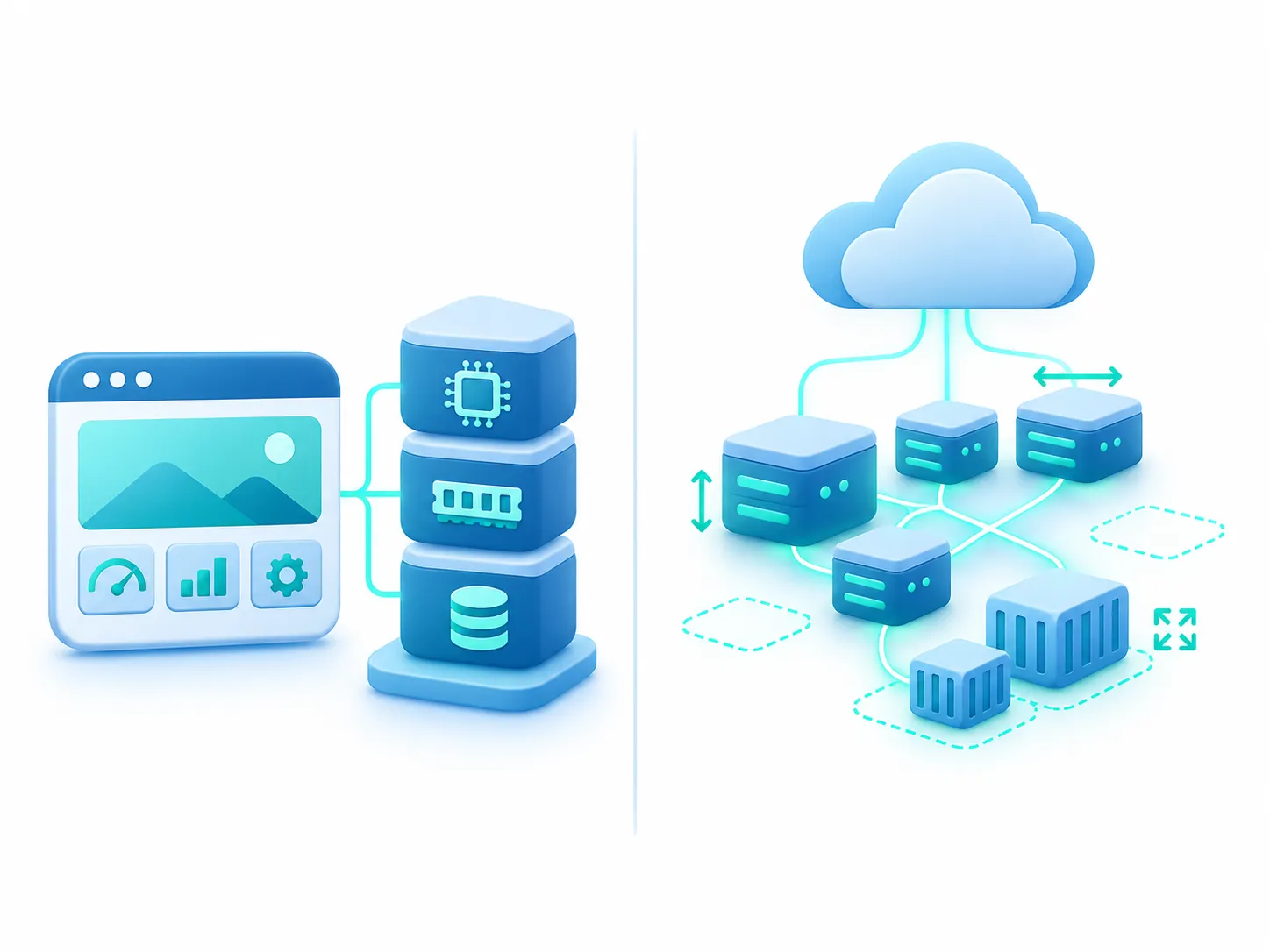
A monthly hosting plan and a cloud-provider console can carry the same label and still be different products. Cloud-based web hosting runs a website on virtual servers taken from a pool of physical machines. The pages below separate that setup from shared, VPS, and dedicated hosting, then separate a fixed monthly allocation from capacity that grows and shrinks with demand. Someone comparing invoices is usually trying to answer a simpler question: what do I actually get, and when is it worth paying for? Plan names and prices stay on the provider’s own page. The meaning of the term comes first.
What Is Cloud-Based Web Hosting?
Cloud-based web hosting places a website’s files, database, and applications on virtual servers drawn from a pool of physical machines. Visitors still arrive through the domain name. The pool is built so capacity can be assigned as demand changes. A plan from a web host may instead reserve a fixed share of CPU, memory, and storage.
The U.S. National Institute of Standards and Technology describes cloud computing in NIST SP 800-145 through five characteristics: on-demand self-service, broad network access, resource pooling, rapid elasticity, and measured service. On a website those traits appear as capacity you can request, access over the internet, hardware used by many isolated customers, capacity that can expand or contract, and usage that can be measured.
Publishing a site is the whole scope here. Cloud software subscriptions, developer platforms, and file-storage lockers sit outside it. A theme-based website builder is another product. Elasticity belongs to the cloud model described by NIST. Whether the plan on sale this month includes that elasticity is a separate buying question, answered after the comparison.
How Does Cloud-Based Web Hosting Keep a Website Online?
Opening a page sends a request toward a virtual machine that can read the site’s files and database. Virtualization creates those machines on physical servers. A load balancer chooses a healthy machine. Visitors stay online on another machine only when that second machine is already in the pool and failover is on.
Where the site lives
A hypervisor is the software that divides one physical server into virtual machines. Each machine receives an operating system and a share of CPU, memory, and disk. Pages, media, and the database sit there, or on storage attached to it. Storage kept apart from the compute node can survive a restart of that node. The account still needs another copy if the storage system itself fails.
What changes when traffic or a server changes
The load balancer stands in front of the virtual machines and sends each request to a node that passes its health check. Extra compute can come from the pool when the deployment allows it. After a node fails, the site stays up only with a second healthy node and automatic failover.
Ask the provider to show four things: more than one compute node, a load balancer, health checks, and storage that remains readable after a node restarts. A single virtual machine with a cloud label has no second node waiting. The site stays down until someone restores it or moves it.
How Does Cloud Hosting Differ from Shared, VPS, and Dedicated Hosting?
Shared hosting, a VPS, a dedicated server, and cloud web hosting give the site a different home, a different reaction to a busy neighbor, and a different way to add capacity. The table is the comparison. Fixed plans and elastic pools are pulled apart in the next section.
Shared | VPS | Dedicated | Cloud web hosting | |
Where the site runs | Many sites on one server’s pool | An isolated slice of one physical server | The whole physical server | Virtual servers drawn from a hardware pool |
A neighbor’s traffic spike | Can slow the other sites on that server | The reserved slice stays yours | No other customer shares the machine | Each customer keeps a separate allocation |
One machine fails | Sites on that server go offline | That VPS goes offline | That server goes offline | Continues only with another node and failover |
How capacity grows | A larger plan, sometimes a migration | A larger plan, sometimes a migration | Another physical machine | An elastic pool assigns more; a fixed cloud plan moves you to a larger plan |
Who runs the server | The host | You, or a managed add-on | You, or a managed add-on | The host on a managed plan; you on raw infrastructure |
Cost pattern | A low flat fee | A fixed monthly slice | A high flat fee | A flat bundle, or a metered bill |
A fixed-size virtual server sold as cloud behaves like a VPS until the provider adds pool-wide failover or resizing on demand. A dedicated server clears every other customer off the hardware. Uptime still rests on that one machine until you add a second machine and a way to switch.

Are You Buying a Managed Cloud Plan or Cloud Infrastructure?
Two products share the cloud name. A managed cloud plan gives you a control panel and a set allocation while the host runs the platform. Cloud infrastructure gives you virtual machines, containers, or a serverless runtime to configure. “Managed” names the administrator. A second server taking over after a failure is a separate feature.
Managed cloud web hosting
The host runs the platform. You publish in a control panel with a stated CPU, memory, and storage allocation. Needing more means a larger plan.
Self-managed servers and serverless hosting
Self-managed infrastructure leases virtual machines or containers you configure, often billed by use. Serverless hosting runs the application without a server console and charges for execution.
Public, private, and hybrid
Public cloud isolates customers on shared hardware and is the usual public-website setup. Private cloud reserves the pool for one organization. Hybrid cloud joins the two. Most sites never need a hybrid design.
Three checks separate the label from the product:
Capacity can change without a migration.
Another node takes over automatically after a failure.
The price is a fixed bundle or a metered bill.
The HostCry cloud hosting plans are the fixed-allocation case: managed cPanel, CPU and RAM fixed to the plan, growth by upgrading. Autoscaling and root access sit outside that published product. Re-read the page, and run the same three checks on any elastic offer.
Which Websites Benefit from Cloud Hosting?
A larger allocation, or a real resource pool, helps sites with sharp traffic peaks, applications that exhaust a small shared account, and several sites that each need their own room.
Sites that gain from cloud hosting
A launch or a sale is a typical peak. HostCry’s cloud page points growing sites and WooCommerce stores to managed cloud plans, and agencies with several sites to larger tiers. Hosting and domain registration have been on offer since 2017.
Buyers in Pakistan, the UAE, and elsewhere should weigh visitor routes and support they can reach, including when those visitors are in more than one country.
Sites that should stay on a simpler or fixed server
Shared hosting still matches a new brochure site or a quiet blog. A VPS matches a steady application you want to administer yourself. A dedicated server matches a heavy workload that has to occupy the whole machine.
Move toward a cloud plan when these signs are visible:
Resource-limit errors keep returning.
Pages slow on days you can predict, such as a sale or a term start.
You need more capacity without moving the account to another machine.
Staging and the live site both have to exist.
One server failure would cost more than the business will accept.
What Changes the Cost of Cloud Web Hosting?
CPU, memory, storage, bandwidth, backups, extra IP addresses, management, support level, and billing currency decide the bill. A fixed bundle stays at the same fee until the plan or the term changes. A metered bill follows consumption.
Fixed monthly plans
The common waste is an oversized bundle: CPU and memory the site never touches.
Usage-based bills
Typical meters are compute, stored data, outbound traffic, extra addresses, and snapshots. The intro price and the renewal price are different lines. Read both.
Pay-as-you-go describes metered infrastructure. A fixed monthly cloud plan keeps the same fee in a quiet month. Uncapped autoscaling, heavy outbound traffic, and backups in a metered tier are what push that invoice up. Set a cap or an alert where the platform allows it, before a campaign.
HostCry’s published Pakistan checkout accepts JazzCash, Easypaisa, bank transfer, and cards. Confirm the list on the day you pay. Anyone billed in another currency should confirm it before the first invoice.
Who Is Responsible for Security, Backups, and Uptime?
The provider answers for its platform. You answer for the application, the accounts, and a restore you have tried.
What the provider should be able to show
Ask to see platform patching, isolation between accounts, a firewall, a written backup schedule, and an uptime target in the terms. SSL/TLS on the address, and DDoS controls if the plan lists them, belong in that same ask.
What stays with the site owner
You keep application updates, user permissions, and, on a server you manage, operating-system patches. A backup never restored is an untested file. Restore one copy onto staging first.
Duty | Provider | Site owner |
Platform patching and account isolation | On a managed plan | Operating-system patches if you manage the server |
A written backup schedule | As the plan states it | Check what each copy contains |
Application updates and user accounts | Yours | |
A restore tried on staging | Yours |
An uptime agreement states the platform target and the remedy in the contract. It is not a history of past uptime, and it skips a broken plugin or a third-party checkout. Before you cancel, read the export window in those terms.

How Do You Choose a Cloud Host and Put the Site Online?
Verify the host, then send visitors over only after a staging restore has worked. Check support hours, the control panel, the software, the backup terms, the three capacity checks above, where visitors are, and the invoice currency. Confirm whether mailboxes are included.
ICANN’s domain-name glossary calls a domain name the name people use to reach a site, registered through a registrar. Hosting is the space those DNS records point to. HostCry registers and connects domains as well as hosting, for customers in Pakistan, the UAE, and elsewhere.
Keep a domain you own, or register one. For a .pk name, follow current PKNIC registrar guidance.
Point the name with nameservers or DNS records.
Install the SSL/TLS certificate on the new account.
Click through orders, logins, and forms on staging.
Restore a backup onto staging and compare the pages.
Open the site to the public only after that restore matches. Changing nameservers earlier makes the live site the test.
Match the Plan to the Workload
Buy the allocation, the party who administers the server, and the failover behavior. A quiet site can stay on a simpler plan. A site with real peaks needs a stated allocation and a backup already restored on staging. HostCry publishes managed cloud plans and can register or connect the domain. Review the plans linked above, or ask HostCry which allocation fits the site before you order.